Click User Management à Add/Edit User Data. The Add/Edit User Data window is displayed.

Do one of the following:
The Add/Edit User Data allows the member to add, edit, and delete information of its users.
Click User Management à Add/Edit User Data. The Add/Edit User Data window is displayed.
Do one of the following:
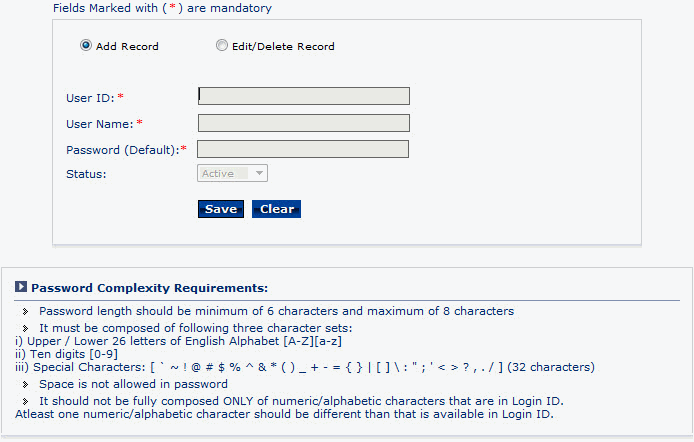
To add records, click Add Record.
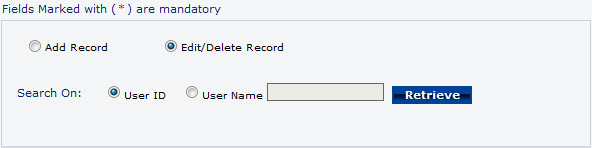
To edit or delete records, click Edit/Delete Record.
To add a record
Enter User ID.
Enter User Name.
Enter Password (Default).
Click Save to add the record.
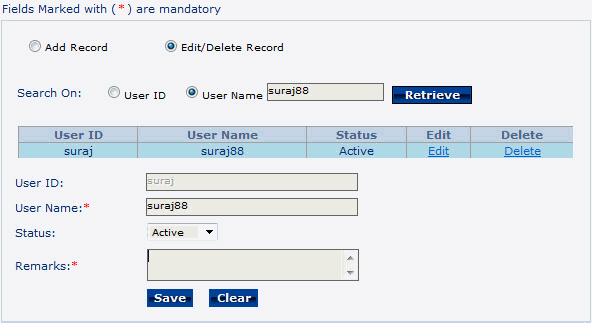
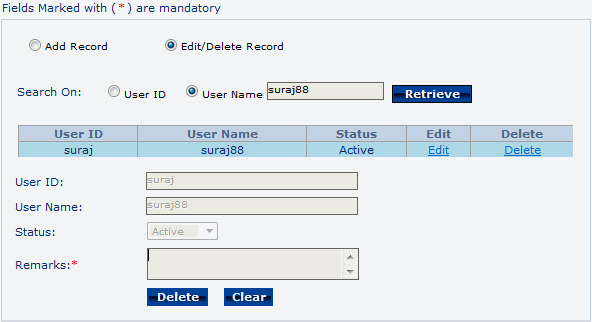
To edit or delete a record
Under Search On, click one of the following User ID or User Name filter option.
Click Retrieve. Based on the applied filter criteria the records are displayed in the grid.
To edit a record, click Edit link against the record, modify the details, and then click Save.
To delete a record, click Delete link against the record, and then click Delete.